
Your localhost on your iPhone, synced.
Build on your Mac. See it live on your iPhone.
View and test your page as you build and never miss mobile UI bugs again.
macOS 14+ · Apple Silicon & Intel



Sync
Your iPhone follows along while you build.
Reload triggers, navigation, scroll position and theme changes can stay in sync across paired devices.
macOS menu bar app
No adapters, no code changes.
Proxee is a macOS menu bar app. Use it with whatever you're running - no framework-specific setup required. Works with Next.js, React, Astro, Vite or any dev server.
How it works
Point. Scan. Pair.
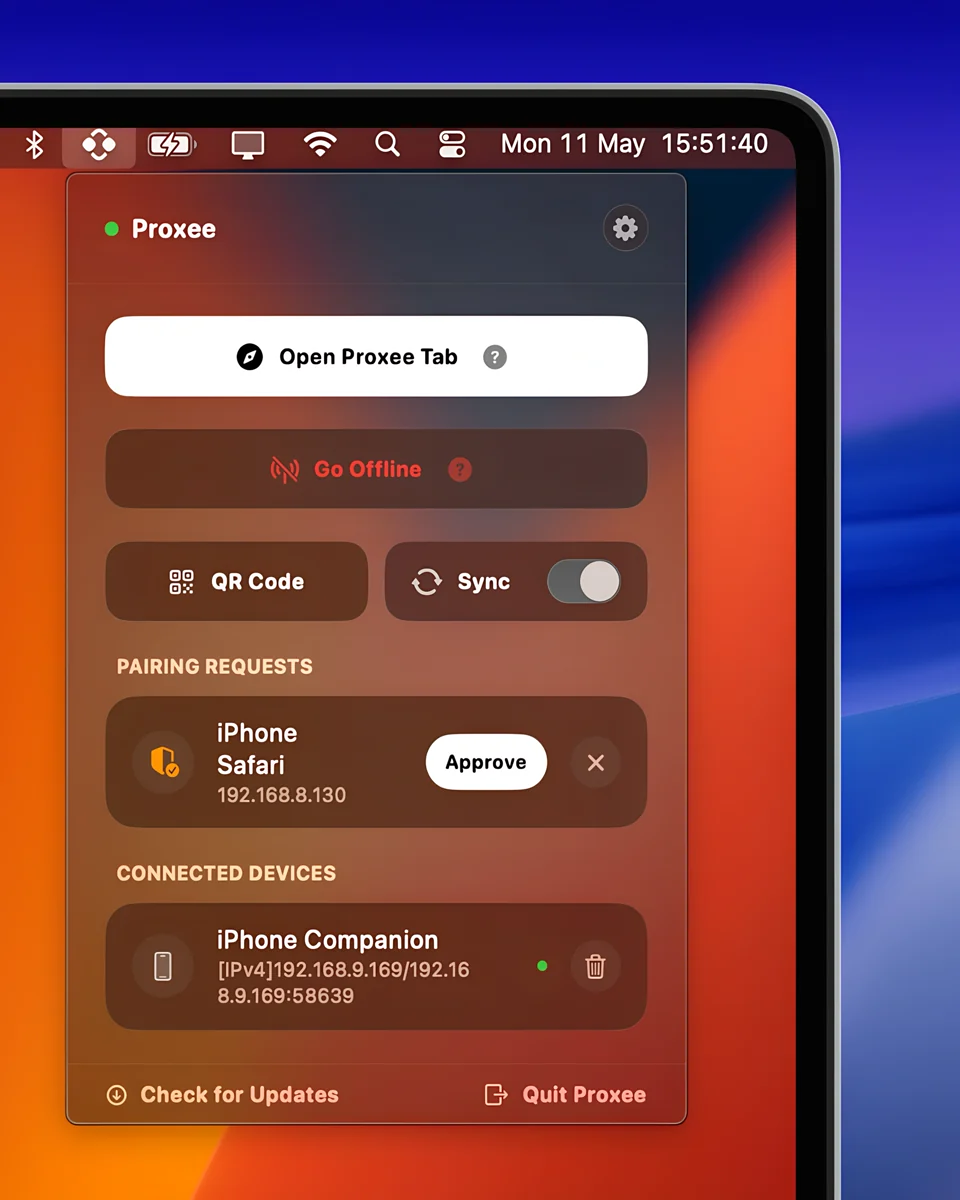
Point Proxee at your dev server, scan the QR and approve your iPhone. That's the setup.
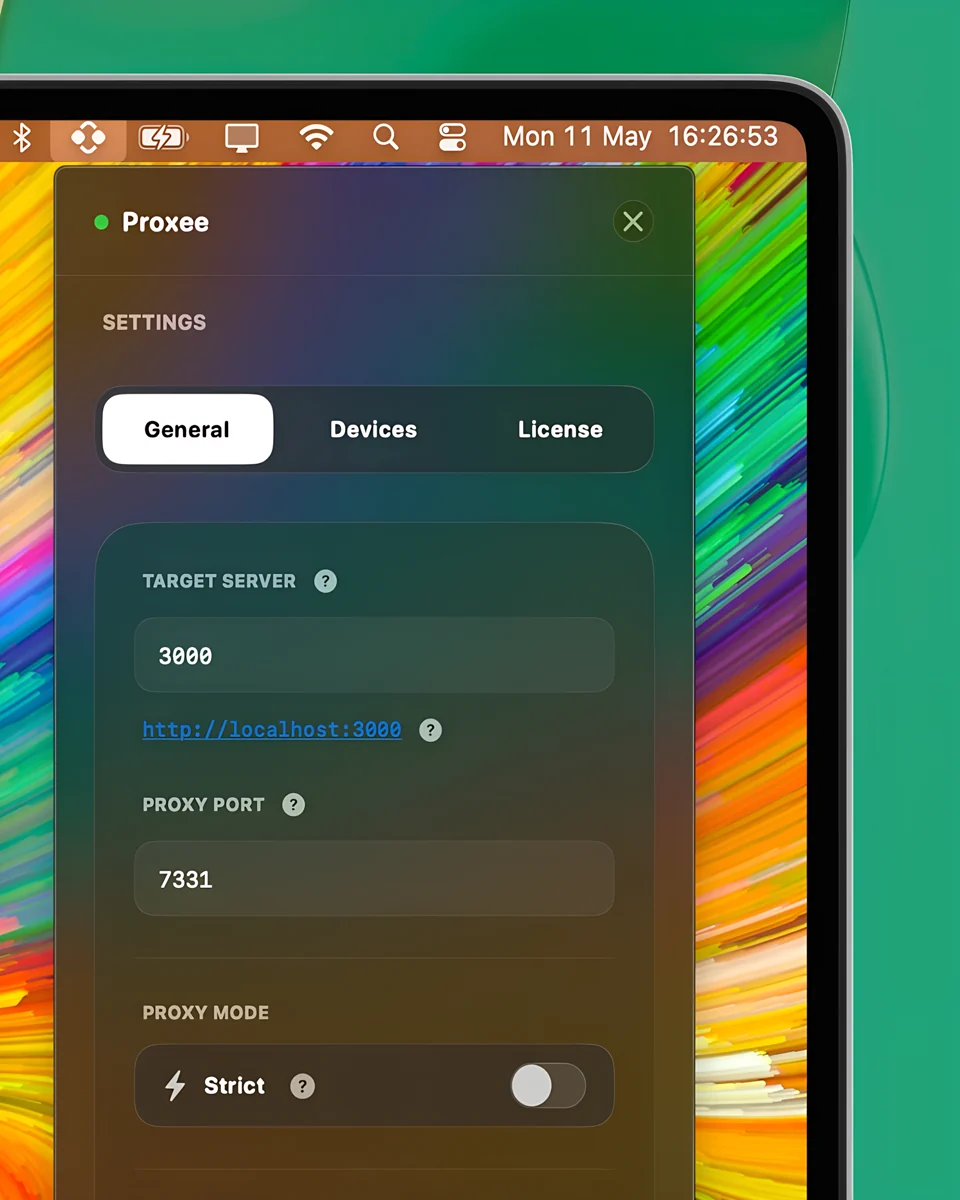
Select your localhost port number.
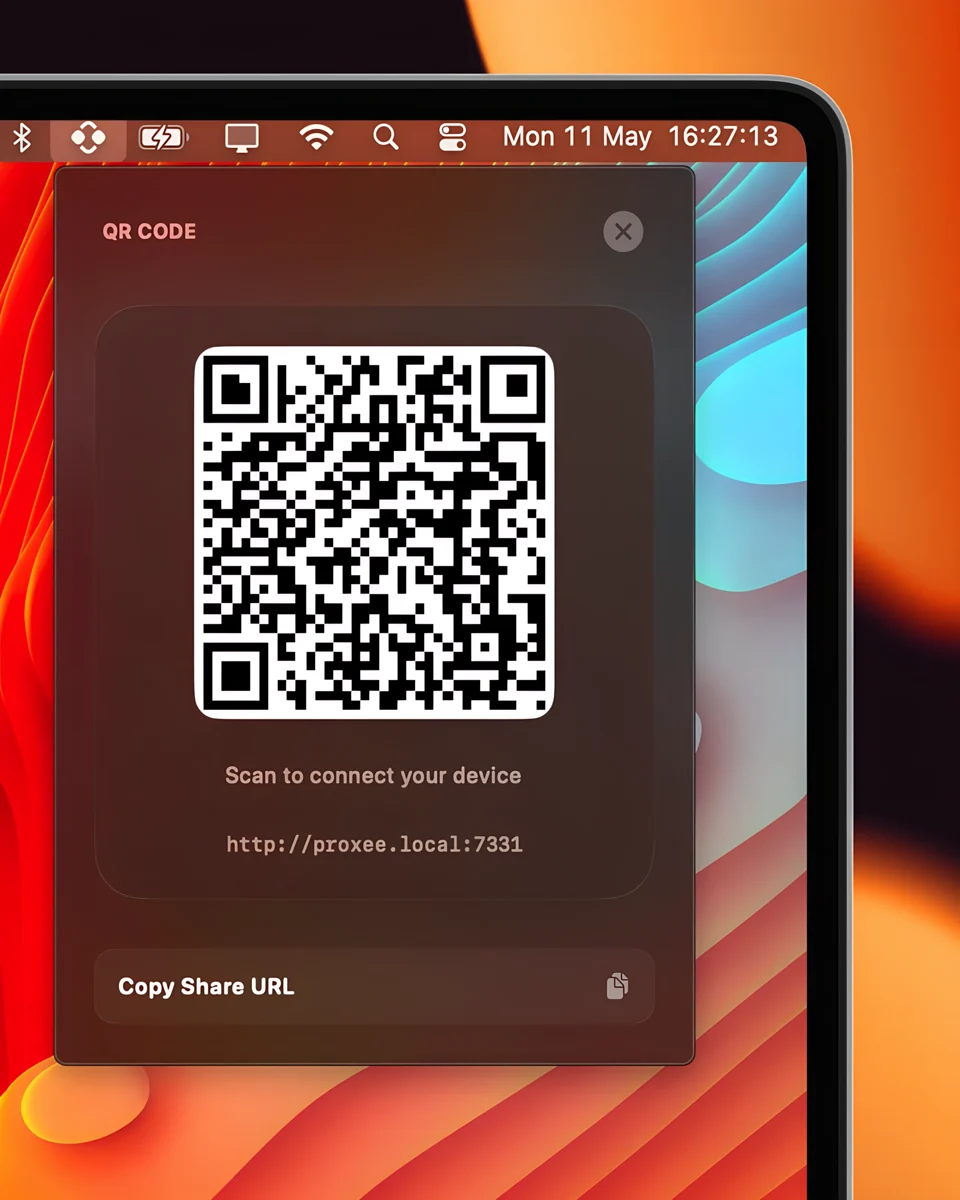
Scan the QR code with your iPhone.
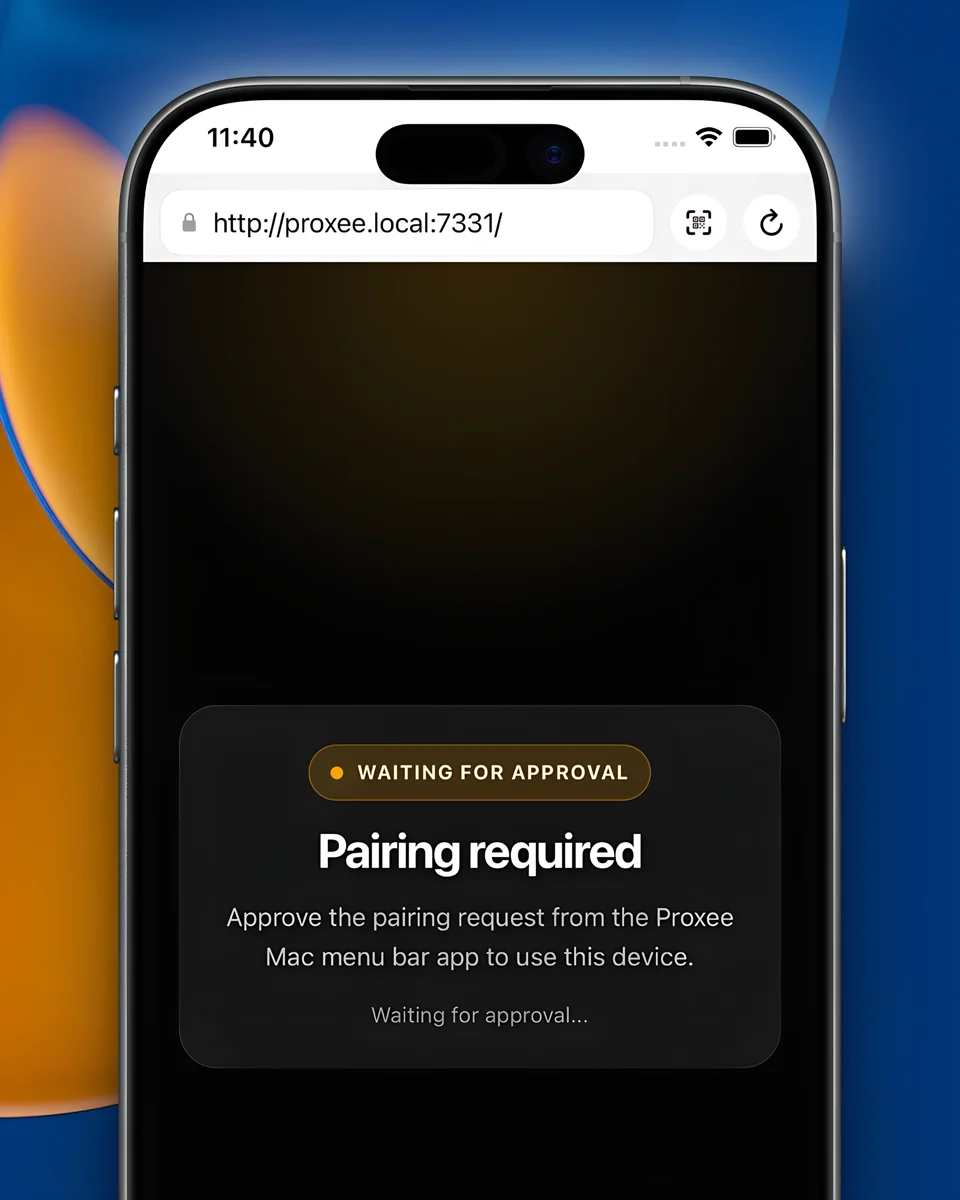
Approve your iPhone to pair it with your Mac.

Available free on the App Store. Requires licensed Proxee on your Mac to work.
Free iOS companion app
Keep your iPhone awake while you build.
Use any iOS browser for quick checks. For longer work, the free companion app keeps your iPhone awake and remembers your Proxee session.
Available free on the App Store. Requires licensed Proxee on your Mac to work.
⚡ Price increases soon
Launch Offer
Proxee License
$19
One-time payment
Lock in today before the price goes up.
Frequently asked questions
No trial, but there's a 14-day money-back guarantee. If Proxee is not for you, email support@proxee.dev within 14 days of your purchase date and you'll get a full refund - no questions asked.
No. Proxee is for web developers previewing a locally running web dev server on an iPhone.
Proxee is currently optimized for iOS, but it works with any browser on the same Wi-Fi, including browsers on Android phones. The polished long-session workflow is built around iPhone today: QR pairing, the free companion app and native screen-awake behavior. Android-specific polish is on the roadmap.
If you give Proxee a go and it doesn't work with your setup, email support@proxee.dev within 14 days of your purchase date for a full refund - no questions asked.
Clicking "Go Live" exposes the proxied dev site on your local network. Proxee requires pairing before any client can connect and blocks unpaired access automatically.
Use it like any local dev server: on networks you trust, or on a personal hotspot for sensitive work. Proxee is not a public tunnel or production proxy.
Some routers - particularly on public networks, corporate Wi-Fi or older hardware - may block device-to-device communication. If you run into this, creating a personal hotspot from your Mac or iPhone can work around it.
The troubleshooting guide has the quick checks.
Proxee is framework-agnostic and handles the proxying transparently. It proxies your dev server at the HTTP layer and injects a small client script - no adapters, no project changes. If your framework runs a local dev server, Proxee should work with it.
SSR-Safe mode is the default. If assets or requests still point to localhost directly, the proxy mode guide explains when to try Strict mode.
Yes. Proxee supports local login flows and browser-owned OAuth redirects across paired devices.
OAuth providers often require an exact callback allowlist, so add the Proxee callback URL too, including the proxy port. The OAuth docs show the common callback URL shapes.
Proxee is 100% local. The proxy runs entirely on your Mac and communicates only over your LAN - no cloud relay, no external servers involved.
Because Proxee serves over HTTP, not HTTPS, just like your localhost server. The warning means LAN traffic is not TLS-encrypted, so use trusted Wi-Fi or a personal hotspot for sensitive work.
Proxee as a product packages the workflow that enables previewing and interacting with a local web dev server on your iPhone: QR pairing, automatic device recognition and reconnection, trusted devices, navigation and scroll sync, theme and reload state plus the iOS companion app that keeps your iPhone screen awake while you build.
Proxee packages all of this into a polished Mac and iPhone experience with no config.
Proxee currently syncs what's deterministic: navigation, page scroll, element scroll and theme state. It doesn't mirror client-side DOM state.
Clicking "Load more", expanding an accordion, opening a dropdown, or any interaction that changes in-page state on one device won't replicate on the other. Think of it as keeping both screens pointed at the same place, not as a remote control.
This is an area Proxee will expand over time.
After purchase, you get one year of updates from your buy date. After that, the app keeps working locally on your Mac - you just won't receive newer updates unless you buy a fresh license.
Yes. One license activates one Mac. If you switch Macs, you can deactivate and reactivate on the new one.